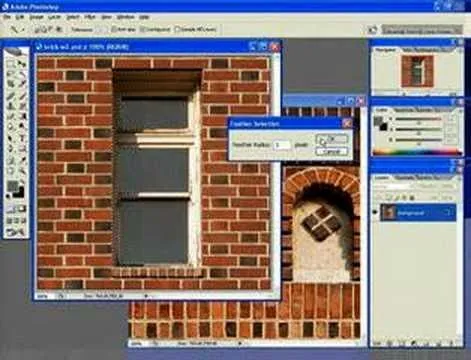
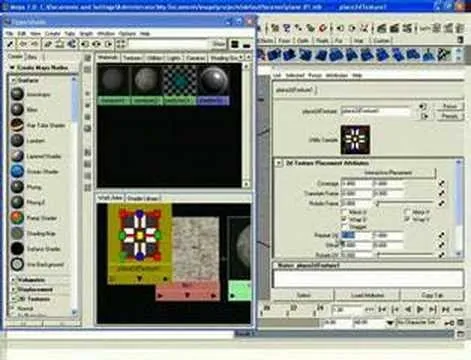
Did you play Cat's Cradle as a kid? Well, there's more to string figure art than just Cat's Cradle. This string art video demonstrates how to make a Jacob's Ladder. Song by Alice Cooper.
Learn how to drop in on a quarter-pipe. Dropping in on a quarter-pipe or other vertical ramp is something to try after you have been skateboarding for at least a few months.
Learn how to choose the rabbit that's best for children. There's probably not a kid out there who wouldn't love a pet bunny, but rabbits and children can be a tough combination. To make the match a happy one, follow these steps.
Learn how to weigh yourself correctly. Monitoring your weight is difficult when it can fluctuate three to five pounds in a single day. This system will help.
Learn how to make low-fat chicken tenders. Even if you're watching your waistline, you don't have to give up your favorite foods. Baked – not fried – chicken tenders can be just as tasty as the real deal.
Learn how to immobilize an ankle. The ankle is a complex joint, so when an injury occurs, and you can't get help right away, the first thing to do is keep it from moving – you'll prevent any more damage to the surrounding nerves and tissue.
Learn how to mingle. If the idea of walking into a room full of strangers strikes fear into your heart… welcome to the club. But there are ways to overcome this common social phobia.
Learn how to crash a wedding. If you have a free Saturday, we have a way for you to score free food, free cocktails, free dancing—and maybe even a hook-up.
Learn how to decorate your graduation cap. Customizing your graduation cap is a way to stand out among the sea of identical, ill-fitting graduation robes.
Learn how to cure a headache with acupressure. Instead of reaching for a pain pill, massage away a headache using acupressure, the traditional Chinese curative technique of applying pressure to certain points of the body.
Check out this video from Chemical Reaction Tutorials (CRTutorials). If you love filmmaking, prop making, editing and everything else that goes along with making movies, then you'll want to see what Adam has to say about gauntlets.
This video tutorial from Melrose Jewelers shows you how to set a Rolex Day-Date President wristwatch. Setting the Rolex Day-Date can be done with just a few simple steps. You will see how to set the day, the date, and time... just watch.
This is just a simple quick tutorial video showing how to stack crops on Farm Town. Farm Town is an application on [hhtp://www.facebook.com Facebook]. If you can't tell, I'm just right clicking.
Get started using Adobe After Effects with the help of The New Boston! This beginner's tutorial is bound to answer the many questions you have about the popular digital motion graphics and compositing software. The main purpose of After Effects is for film and video post-production.
Get started using Adobe After Effects with the help of The New Boston! This beginner's tutorial is bound to answer the many questions you have about the popular digital motion graphics and compositing software. The main purpose of After Effects is for film and video post-production.
Get started using Adobe After Effects with the help of The New Boston! This beginner's tutorial is bound to answer the many questions you have about the popular digital motion graphics and compositing software. The main purpose of After Effects is for film and video post-production.
Get started using Adobe After Effects with the help of The New Boston! This beginner's tutorial is bound to answer the many questions you have about the popular digital motion graphics and compositing software. The main purpose of After Effects is for film and video post-production.
Get started using Adobe After Effects with the help of The New Boston! This beginner's tutorial is bound to answer the many questions you have about the popular digital motion graphics and compositing software. The main purpose of After Effects is for film and video post-production.
Get started using Adobe After Effects with the help of The New Boston! This beginner's tutorial is bound to answer the many questions you have about the popular digital motion graphics and compositing software. The main purpose of After Effects is for film and video post-production.
Get started using Adobe After Effects with the help of The New Boston! This beginner's tutorial is bound to answer the many questions you have about the popular digital motion graphics and compositing software. The main purpose of After Effects is for film and video post-production.
Get started using Adobe After Effects with the help of The New Boston! This beginner's tutorial is bound to answer the many questions you have about the popular digital motion graphics and compositing software. The main purpose of After Effects is for film and video post-production.
Get started using Adobe After Effects with the help of The New Boston! This beginner's tutorial is bound to answer the many questions you have about the popular digital motion graphics and compositing software. The main purpose of After Effects is for film and video post-production.
Get started using Adobe After Effects with the help of The New Boston! This beginner's tutorial is bound to answer the many questions you have about the popular digital motion graphics and compositing software. The main purpose of After Effects is for film and video post-production.
Get started using Adobe After Effects with the help of The New Boston! This beginner's tutorial is bound to answer the many questions you have about the popular digital motion graphics and compositing software. The main purpose of After Effects is for film and video post-production.
Get started using Adobe After Effects with the help of The New Boston! This beginner's tutorial is bound to answer the many questions you have about the popular digital motion graphics and compositing software. The main purpose of After Effects is for film and video post-production.
Get started using Adobe After Effects with the help of The New Boston! This beginner's tutorial is bound to answer the many questions you have about the popular digital motion graphics and compositing software. The main purpose of After Effects is for film and video post-production.
Get started using Adobe After Effects with the help of The New Boston! This beginner's tutorial is bound to answer the many questions you have about the popular digital motion graphics and compositing software. The main purpose of After Effects is for film and video post-production.
Get started using Adobe After Effects with the help of The New Boston! This beginner's tutorial is bound to answer the many questions you have about the popular digital motion graphics and compositing software. The main purpose of After Effects is for film and video post-production.
Get started using Adobe After Effects with the help of The New Boston! This beginner's tutorial is bound to answer the many questions you have about the popular digital motion graphics and compositing software. The main purpose of After Effects is for film and video post-production.
Check out this video tutorial to learn how to design a photorealistic tree with Blender. To make this tree with Blender, you will be using textures and mesh transparency. To start off, you'll first need to find a picture of a tree and save it as a transparent PGN file.
Check out this Creative Cow video tutorial to learn how to use the Boris Continuum Complete 6 Swish Pan Filter. You can easily create a seamless transition using the Boris Continuum Complete 6 Swish Pan. This plug-in can be used in Apple's Final Cut or Adobe's Premiere and After Effects.
Need a little help with your new Adobe Photoshop graphics editing program? Working with Photoshop can be a bit tough if you don't know what you're doing, so instead of getting out the books, check out this 'no nonsense' video tutorial to learn how to make an image into a text image in Adobe Photoshop. Photo manipulating and editing is always tricky, so just watch to see how to make an image into a text image, for beginners.
Need a little help with your new Adobe Photoshop graphics editing program? Working with Photoshop can be a bit tough if you don't know what you're doing, so instead of getting out the books, check out this 'no nonsense' video tutorial to learn how to create an animated text banner in Adobe Photoshop. Photo manipulating and editing is always tricky, so just watch to see how to create an animated text banner, for beginners.
Need a little help with your new Adobe Photoshop graphics editing program? Working with Photoshop can be a bit tough if you don't know what you're doing, so instead of getting out the books, check out this 'no nonsense' video tutorial to learn how to create a GIF in Adobe Photoshop and GIFtedMotion Photo manipulating and editing is always tricky, so just watch to see how to create a GIF file, for beginners.
Need a little help with your new Adobe Photoshop graphics editing program? Working with Photoshop can be a bit tough if you don't know what you're doing, so instead of getting out the books, check out this 'no nonsense' video tutorial to learn how to create a simple folder in Adobe Photoshop. Photo manipulating and editing is always tricky, so just watch to see how to create a simple folder, for beginners.
Need a little help with your new Adobe Photoshop graphics editing program? Working with Photoshop can be a bit tough if you don't know what you're doing, so instead of getting out the books, check out this 'no nonsense' video tutorial to learn how to create bubble text in Adobe Photoshop. Photo manipulating and editing is always tricky, so just watch to see how to create bubble text, for beginners.
Need a little help with your new Adobe Photoshop graphics editing program? Working with Photoshop can be a bit tough if you don't know what you're doing, so instead of getting out the books, check out this 'no nonsense' video tutorial to learn how to create metallic looking objects in Adobe Photoshop. Photo manipulating and editing is always tricky, so just watch to see how to create metallic looking objects, for beginners.
Need a little help with your new Adobe Photoshop graphics editing program? Working with Photoshop can be a bit tough if you don't know what you're doing, so instead of getting out the books, check out this 'no nonsense' video tutorial to learn how to create and use patterns in Adobe Photoshop. Photo manipulating and editing is always tricky, so just watch to see how to create and use patterns, for beginners.