


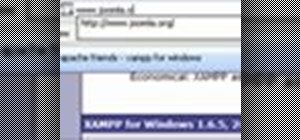
When you try running Apache, Joomla, PHP and MySQL at the same time, you should expect a few hiccups. But there are ways to get them running smoothly and effortlessly together, and this video will outline the process of getting your Joomla Content Management system up and running correctly on Windows.
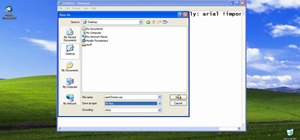
In the video, it's a brand new install of Joomla 1.5 on a Windows 2003 server, with the Apache webserver (not IIS). You'll see the install of PHP and MySQL with the XAMPP packageL, tweak settings in the PHP.INI file, configure IIS for PHP and MySQL and then test the whole Joomla system.

Just updated your iPhone? You'll find new emoji, enhanced security, podcast transcripts, Apple Cash virtual numbers, and other useful features. There are even new additions hidden within Safari. Find out what's new and changed on your iPhone with the iOS 17.4 update.











7 Comments
man, you r the BEST!!!!!!! thank you!!!!!
[url]www.joomla.com[/url]
Thank you very much. This is a excellent tutorial.
Great Tutorial ...Ever!!!
Fantastic video!
Thank you so much :-)
is greath man thanks
joomla doesn't want to install on my server. I can't get through 1st stage (configuration). I keep getting error on page- "install is undefined" Line:65 Char:1 Code:0
Share Your Thoughts