

Boost a Router Signal

This article was provided by wikiHow, a wiki building the world's largest, highest quality how-to manual. Please edit this article and find author credits at the original wikiHow article on how to boost a router signal. Content on wikiHow can be shared under a Creative Commons License.

Published 2 years ago
Last edited 2 years ago

Wireless routers typically have ranges of 100 feet or more, however there are many factors that can lower this range, making your signal and signal strength lower than you might like. Interference can be caused by metal, other signals and other devices that use wireless frequencies like cell phones and microwave ovens. There are many methods you can use to boost your signal strength.

Step 1 Check for interference


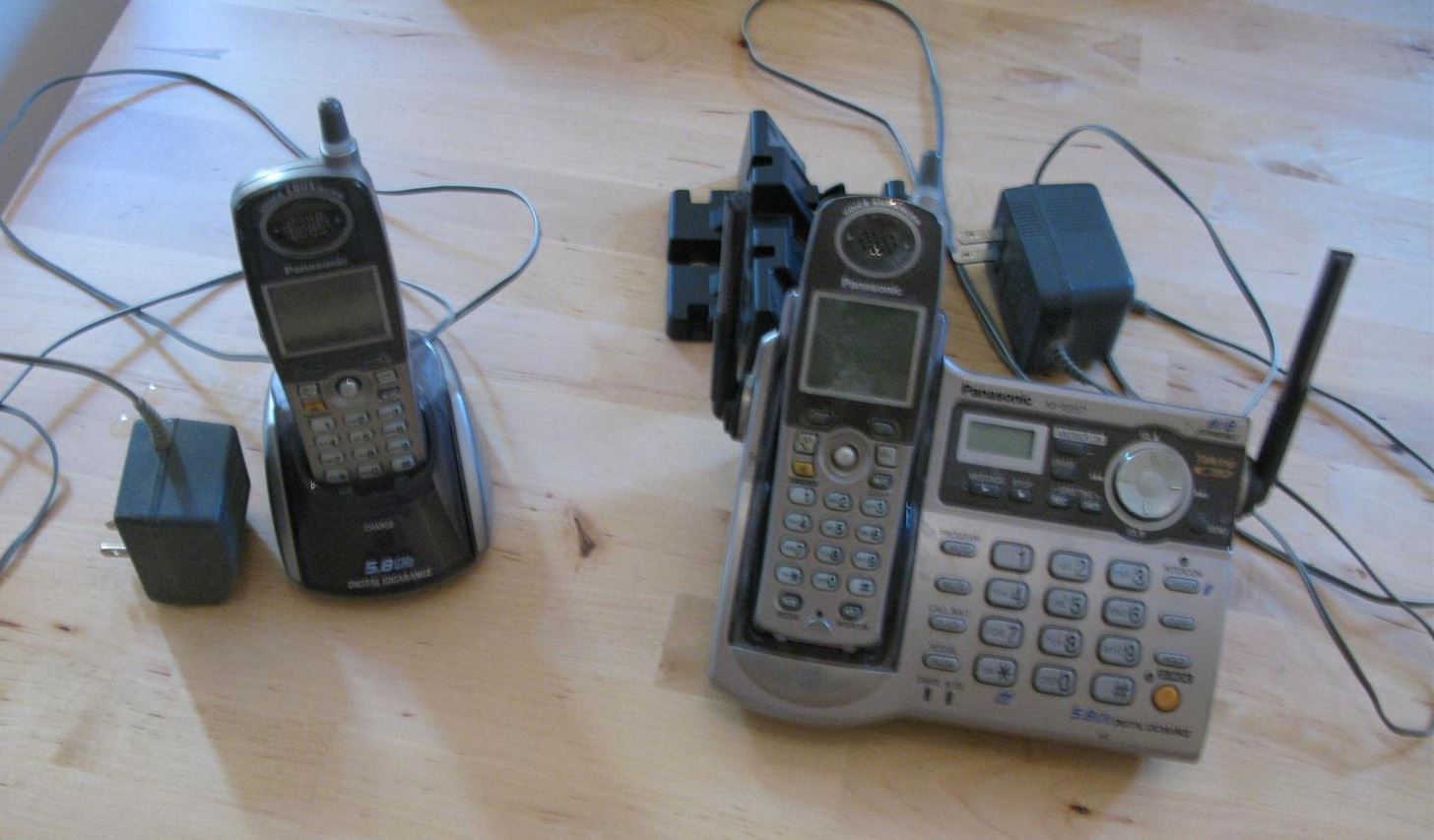
  • Replace devices in your home that can interfere with network traffic on the 2.4GHz frequency range. These devices include many cordless phones, microwave ovens, and the like.
  • Check your signal strength with these devices on and off to determine if they are the cause of your signal problems.
  • Buy a wireless network analyzer to track down the source of interference.

Step 2 Change your signal channel


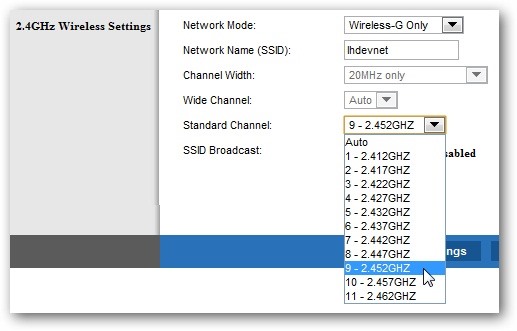
  • Routers can broadcast on a series of channels, between one and eleven. Change to a channel that will allow your router a clear signal between other wireless networks.
  • Use a software utility to analyze which networks are using which channel.
  • Configure your system for an unused channel.

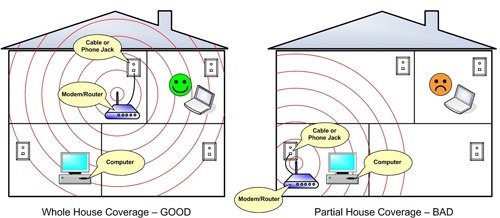
Step 3 Reposition your Router


  • Raise up as far as possible to increase the effective broadcast range.
  • Place near the center of your house or apartment for wider coverage.
  • Move closer to the receivers, if possible.
  • Move away from any metal including metal shelving, filing cabinets and similar common objects.
  • Move away from cordless phones and microwaves, which operate on the same 2.4-Ghz frequency.
  • Move away as far as possible from your neighbor's Wi-Fi router (which, of course, you should also make sure you're using a different channel)

Step 4 Raise your transmit power


  • Check your router's documentation and configuration utility for the ability to change the Xmit power of your router: the amount of power it uses to transmit the signal. generally you can boost this number by up to 50mW, however you do risk overheating or damaging your router.

Step 5 Replace the Antenna


  • Unscrew and replace the broadcast antenna on your router with a model that delivers more power. Not all routers allow for new antenna to be attached, but many do.

Step 6 Install a Repeater


  • Purchase a repeater. A repeater is a piece of hardware that acts like a wireless network expander. The repeater takes the signal from your router and boosts it to increase the range.
  • Wireless repeaters are increasingly common and affordable and will probably be available in your local computer store, or on the Internet.

Step 7 Install a Wireless Amplifier


  • Purchase and attach a wireless amplifier, also known as a booster, directly to your router. A booster can be more affordable than a repeater as they only increase the strength of your existing signal, rather than the strength and range.
  • Use a bi-directional amplifier to increase both your inward and outbound speeds.

Step 8  

How To Boost a Router Signal

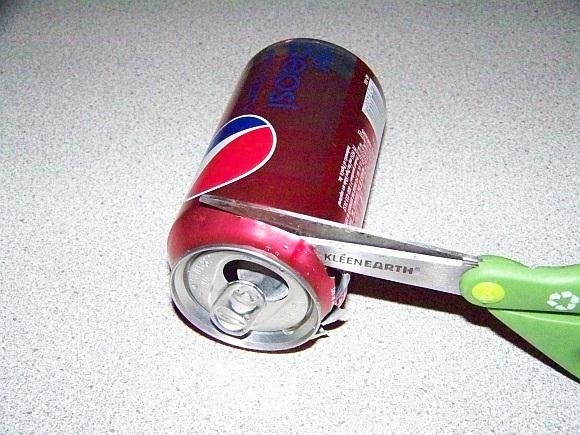
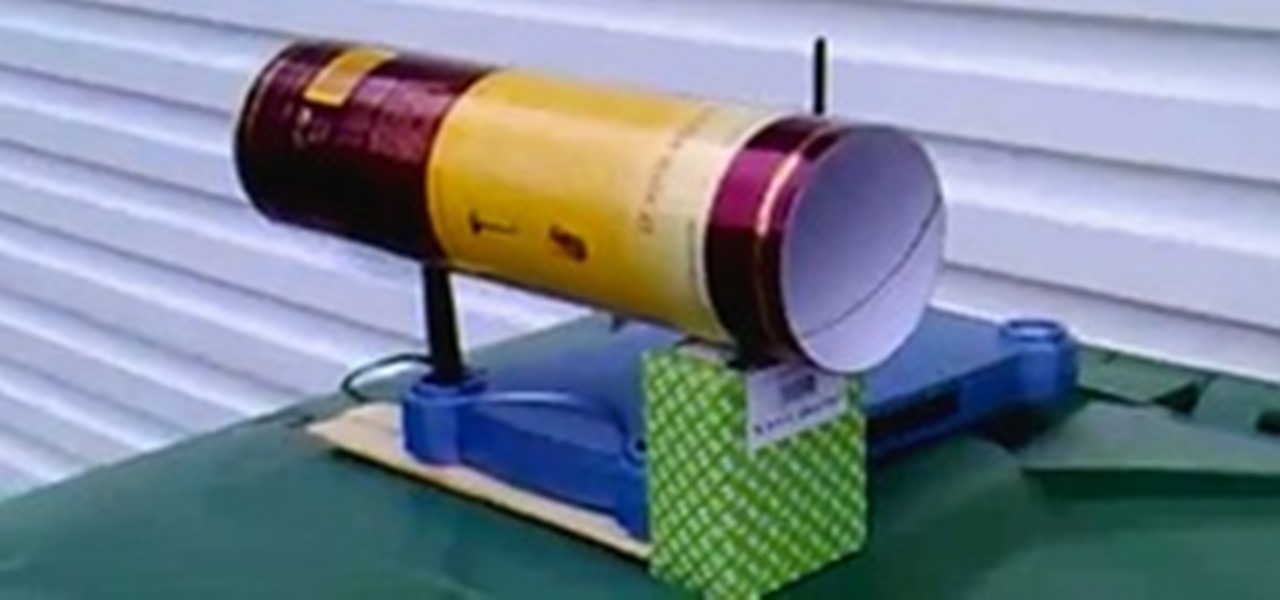
Make a Reflector with Tinfoil. Note that a tinfoil router may boost your signal, but will also make it more directional.  

  • Cut a tinfoil circle with the tinfoil on the inside of a piece of paper or some cardboard large enough to wrap around the router. If you want to get fancier than this, cut a shallow parabola and put the hole for the antenna at the focal point.
  • Place the tinfoil circle over the router.
  • How To Boost a Router SignalPlace the antenna in the center of the circle or parabola.  
 
This video will show you how to make your own signal booster.

Tips

  • Older and traditional homes have walls made from wooden studs, while newer construction in office buildings, malls and condominiums are often constructed with metal studs in the wall. metal studs can interfere with a router signal quite badly, so consider your building type when diagnosing your signal.

Warnings

  • Do not overheat your router.
  • Remember: in some states this can be illegal so do your homework first.

Things You'll Need

  • Router also known as an access point.
  • Tinfoil.
  • Paper or cardboard.

Share this article

Comments

-1
tess amos (-2) 6/5/10 8:19 PM
Nice video. I'd like to save it but I can't see a save or favorites to click on. I guess I'll have to take screen shots.
+2
Bryan Crow (175) 6/16/10 1:14 PM
Hi Tess. There's a heart button at the top of the article you can click to add it to your favorites.
-1
tess amos (-2) 6/5/10 8:27 PM
I meant to say nice article.
+2
zainal adon (1) 6/18/10 5:32 AM
nice info....thanks
+2
Mr.Cat (1) 4/22/11 11:43 PM
Yeah, it would help me
Add your comment:
0 / 2000

Netflix DVD Rentals Becomes Qwikster… Now What Are Your Alternatives?

It's been a long journey for Netflix users. At first, it was a rough ride as Netflix struggled to find its place in the homes and hearts of movie ...

11 Years Later, FreezeCrowd Finally Unleashes Its Photo Sharing Social Network to the World

You may not know him by name, but Eric Leebow is the man we can all thank for inventing social networking. At least, that's what he thinks ...

How to Download Mozilla's New Firefox 6 Web Browser Before Its Official Release

Mozilla is scheduled to release their updated Firefox browser on Tuesday, bringing the popular web browser up to version 6. Lately, the Mozilla ...

Jonathan's Starbucks Card: A Social Experiment in Sharing Ends

Last month, mobile application consultant Jonathan Stark unleashed his Starbucks Card to the public as an "experiment in social sharing of ...

Turn Google Maps into a Trippy Kaleidoscope with Rorschmap

Gone are the good old days of McNally Maps and Thomas Guides. When you have something as powerful as Google Maps, why bother with anything else ...

All Wonderment

Tech Pr0n World

What's Hot & New in Tech, Gadgets, & Geeky Innovations

Null Byte World

.//The aspiring grey hat and security awareness playground

Invisible Computer World

Be invisible. Stay invisible.

All Featured Worlds

Janine Oles Edmondson replied to Justin Meyers's post in the thread: Illegal vs legal in the SCRABBLE World Forum 1 hour ago

Thank you for your response Justin...after I posted I did find a list that had all 4 words on it...sigh...

I'm playing Words with Friends on my iPhone...my how things have changed...lol

Cory Poole posted a corkboard video to the Astronomy World Corkboard, about Annular Eclipse Time Lapse Video 1 hour ago

The annular solar eclipse was amazing. It was so much fun watching the sun transform from a thin crescent to a ring and then to a thin crescent going the other direction. I'll be posting up the pic...more

Derek Sok replied to Mike Hawk's comment on How to print counterfeit money, joining the discussion with 26 other people 5 hours ago

So what do i print it with?

All Community Activity
loading...